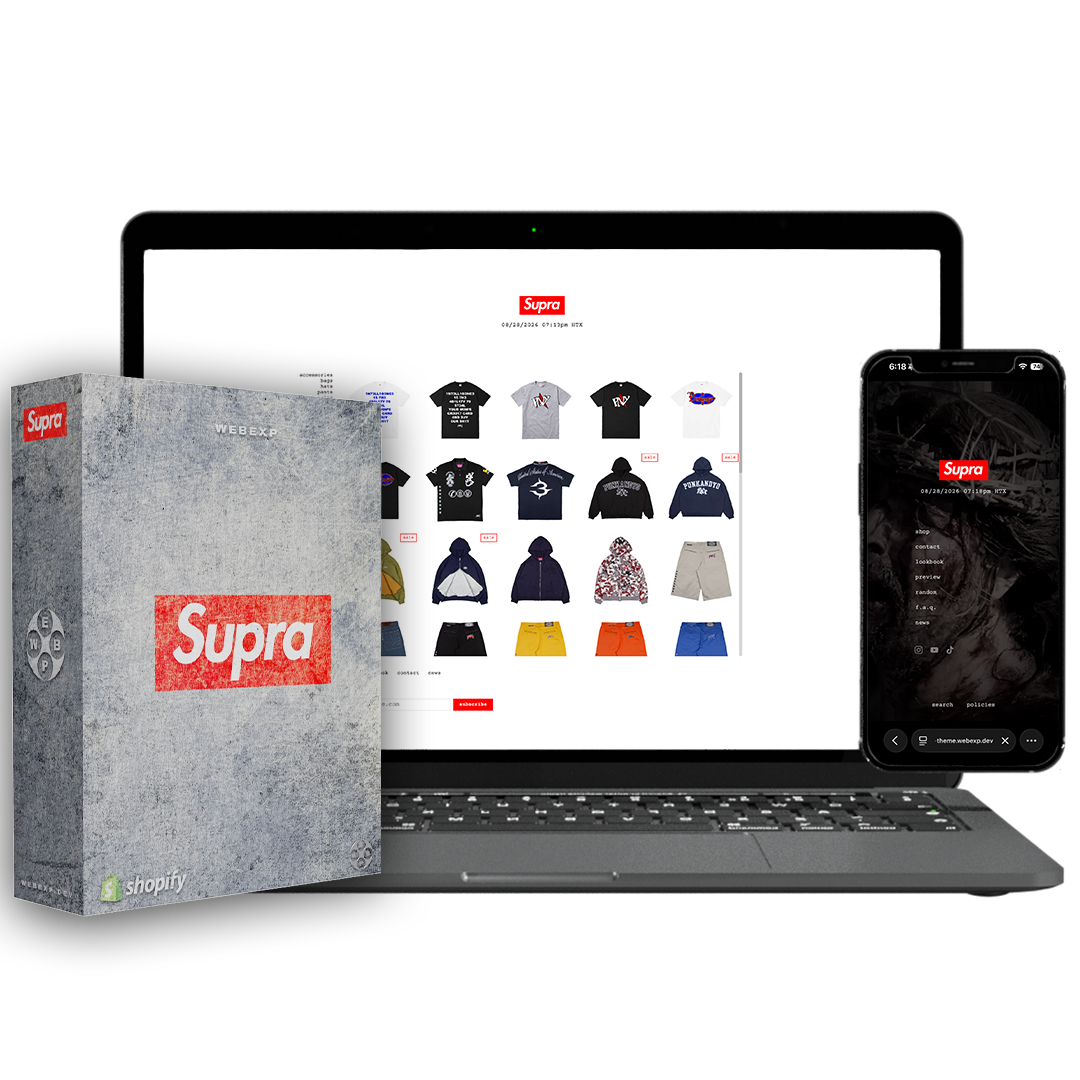








SUPRA Shopify Theme
$219The box-logo storefront, rebuilt for Shopify.View Store DemoPassword: exp Installation — Self InstallWhat's included with Install For Me?
Our team sets up the theme in your store — installing it, adding your logo and backgrounds, building the sections, and assigning your collections, menus, and metafields. You just send your assets and a collaborator invite after checkout.SUPRA Shopify Theme by WEBEXP is a Shopify theme for streetwear brands running limited product releases. It gives drop-focused stores a spare, product-led storefront with a fixed header and footer, a one-screen collection layout, and release tools for password-gated launches, previews, and mobile checkout access.
Key Features & Specs
- Collection layout: Five-column, one-screen product grid that scrolls within the collection area, with the header and footer held in place.
- Drop Password page: Countdown set to a release moment, followed by a sitewide Enter action that submits the storefront password for visitors.
- Enter page: Store-covering image, video, or color treatment with filter, overlay, and vignette settings.
- Preview views: Three ways to show an upcoming collection without prices, purchase controls, or cart access.
- Product presentation: Product page with images on the left, buying controls on the right, image magnification, predictive search, and an in-cart state designed not to shift the layout.
- Colorway linking: A metafield links color-specific products, separating thumbnail columns by colorway and enabling swipe-through to the next colorway on phones.
- Cart controls: Floating cart box with item count, subtotal, cart link, and checkout link. Phone header includes back control, logo, cart count, and checkout.
- Merchandising tools: Configurable product badges, compare-at-price sale badge as a word or percentage, and filmstrip new tags sourced from Shopify product tags.
- Editorial content: Lookbook with a full-screen viewer, thumbnails, past-season archive, mosaic grid, and manually arranged filmstrip.
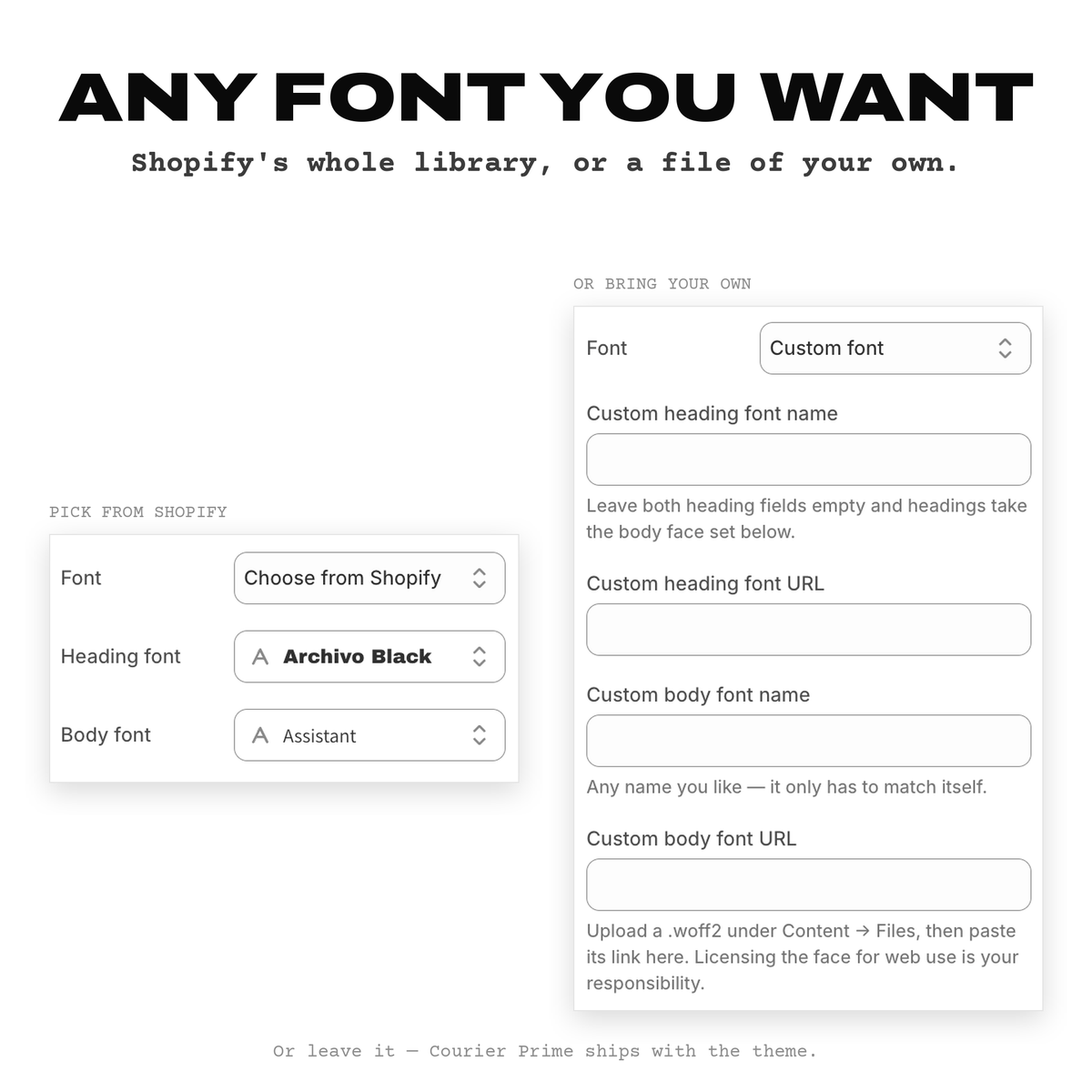
- Theme settings: Four storewide color settings, configurable scrollbar colors, Shopify font library or hosted fonts, desktop and phone logo heights, and live clock settings for a time zone and city label.
How it Compares
| Feature | This Product | Why It Matters |
|---|---|---|
| Purpose-Built Streetwear Storefront Layout | Designed expressly for the iconic drop-driven streetwear format, with a box logo centered at the top and time indicator underneath | Makes it easier for brands to replicate a recognizable, event-based shopping experience |
| One-Screen Collection Grid | Grid fills exactly one screen, scrolls inside itself, with header and footer fixed and cart in the margin | Creates a focused, navigable product display that shows more items without navigating away |
| Drop Event Functionality | Password page includes a countdown timer and sitewide Enter button that submits the storefront password automatically at release time | Simplifies and secures customer access during high-traffic product launches |
| Colorway Linking and Swiping | Theme links every color variant with a metafield, and on mobile lets shoppers swipe directly between colorways | Makes it easy for shoppers to view and switch between product color options, improving discovery |
| Email Popup with Discount Code Reveal | Popup reveals a discount code and copies code to clipboard upon tap | Encourages email signups and simplifies the process of using discounts |
Recommended Use Cases
- Launching a password-protected streetwear release at a scheduled time, with a countdown and entry flow for waiting visitors.
- Publishing a pre-release collection preview that lets customers view upcoming items before purchasing opens.
- Merchandising limited editions, restocks, and sale items with visible product badges and compare-at-price treatment.
- Presenting multiple color-specific versions of one design as connected products for easier browsing on desktop and phone.
- Creating a focused mobile purchase path with persistent cart count and checkout access in the phone header.
- Building an editorial between-drop experience with lookbooks, campaign imagery, past-season content, and a live store clock.
- Displaying a compact catalog with a category rail, product filmstrip, and minimal visual separation between products.
Frequently Asked Questions
What are the best Shopify themes for a minimal streetwear drop-style storefront?
SUPRA Shopify Theme is designed for a minimal streetwear drop storefront, with monospace typography, a centered box-logo area, ruled product grids, fixed header and footer areas, and a floating cart. Its one-screen collection grid uses five columns and internal scrolling to keep products central to the shopping experience.
Is SUPRA Shopify Theme a good choice for selling limited-edition products through timed drops?
Yes, SUPRA Shopify Theme includes a Drop Password page with a countdown and a sitewide Enter button at zero. It also includes a Preview feature that can show an upcoming collection without prices, buy buttons, or a cart.
Which Shopify theme works for a clean, bold storefront with fewer product-page distractions?
SUPRA Shopify Theme is built around a stripped-back product presentation with no product cards, shadows, or rounded corners in the collection grid. Product pages place images on the left and the buy block on the right, while the cart can remain in the page margin.
How can a streetwear store organize different colorways of the same product?
SUPRA Shopify Theme supports colorway linking through a metafield. Linked colorways can display as separate thumbnail columns, and phone shoppers can swipe from the final image of one colorway into the next.
Can SUPRA Shopify Theme support brand content between product drops?
Yes, SUPRA Shopify Theme includes a lookbook with a full-screen viewer, thumbnails, a past-season archive, a mosaic grid, and a hand-arranged filmstrip. It also includes a live clock, email popup with discount-code reveal and copy function, stores grid, FAQ accordion, contact form, blog, customer accounts, and gift cards.
To self-install, follow our tutorial here:
https://www.youtube.com//@webexp
If you'd rather have the WEBEXP team install your theme, select the "Install For Me" option above. We will reach out to you via the email provided at checkout.
If you don't have an active Shopify store, we will start one for you!
- A Mac or Windows Desktop/Laptop
- An Active Shopify Subscription
If you don't have an active Shopify store, we can start one for you!
Or try a Shopify trial for 3 days free + 3 months for $1 each! Click Here To Claim
Due to this being a digital product, all sales are final.
View our full refund policy here
For any questions or concerns, you can contact us via email:
or via Instagram:
@webexp.dev
Valid for one year from the date of purchase. Includes all updates and support released during the license period at no additional cost. To continue receiving updates after the first year, the license must be renewed annually. Renewal is not required — your theme will remain fully functional without it. There are no automatic subscription fees.
1 License = 1 Shopify store.
By purchasing this product, you have read and agreed with our license agreement terms. Breaking these terms will result in a lifetime ban from purchasing future WEBEXP assets and legal action taken against you.
View our full license terms Here
Built for the queue.
A front door, a strip of product, and a grid that fills exactly one screen.
Recorded on iPhone — SUPRA demo store
Plain on purpose.
Streetwear storefronts earned their look by stripping things out. SUPRA keeps the monospace, the one accent colour and the hard edges, and lets the product carry the page.
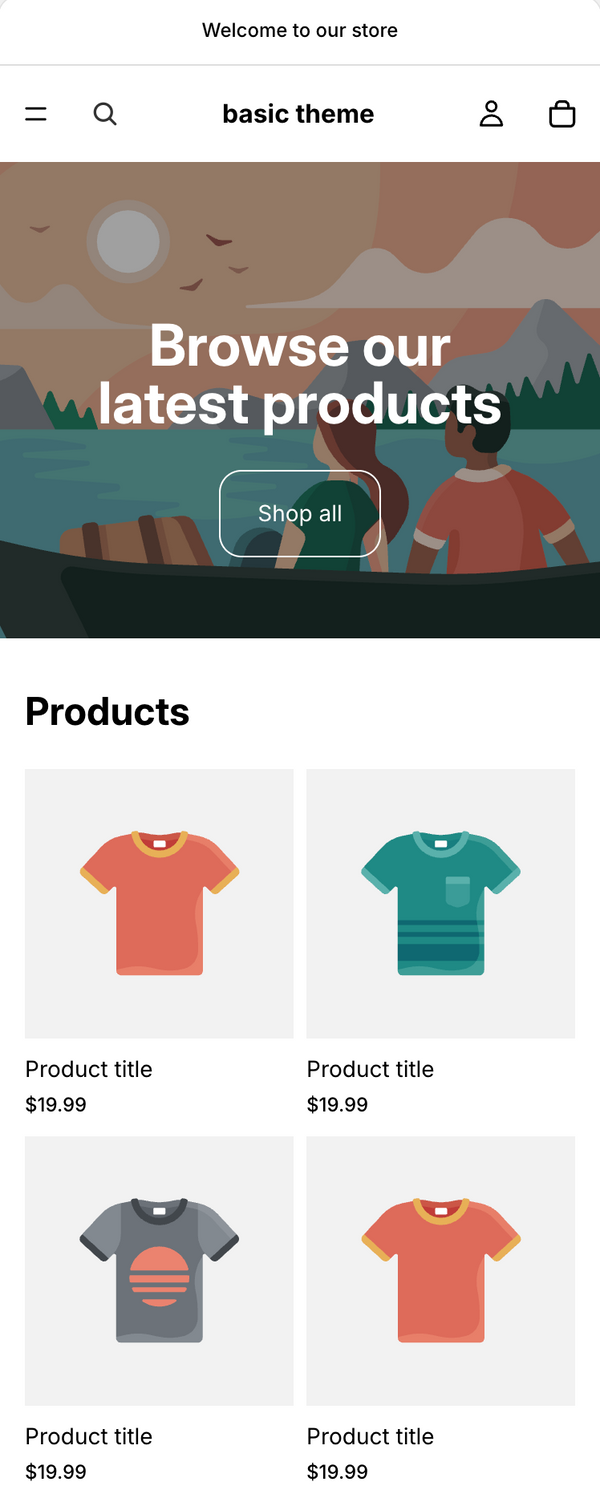
Cards, shadows, rounded corners. Same grid as everyone else.

Monospace, one accent, hard edges. The grid fills one screen and scrolls inside itself.
Everything the drop needs.
Thirteen sections you arrange yourself, and the pages release day actually needs.
A front door that covers the shop until someone clicks through. Image or video background, live clock, and a choice between every visit and once per session.
The run of narrow product slivers across the top of the shop — hand-picked products or a whole collection, with a zoom control so studio shots fill the slivers instead of showing their background. A category list on phones.
The grid fills exactly one screen and scrolls inside itself, cut off mid-row at the bottom so there is visibly more below. The header, the cart box and the category rail never move.
A page template you assign: a season of looks with a full-screen viewer you page through by clicking the ground either side, and a past-season archive. A swipe carousel on phones.
Count down to the drop behind a closed store. Background image or video, your own form embed for Klaviyo or Postscript, and an enter button at zero that takes waiting customers through without typing the password.
Each colour is its own product, linked by one metafield. The thumbnail column becomes a column per colour, and clicking one hands the whole listing over — title, colour, price, sizes, buy button and the address bar — with no page load. On phones you swipe between them instead.
The next drop, shown before it is for sale. Three views of one collection: the crops, one item stepped through with arrows, and the whole set as a grid filtered by product type. No price, no buy button, no cart anywhere on it.
A dotted-border table: a count line, the item rows, a subtotal. On a wide screen the rows scroll in a pane of their own while the count above and the buttons below stay put, so the cart keeps one shape whether it holds two items or twenty. On a phone the subtotal and checkout pin to the bottom of the window as soon as the list runs off it.
Once there is something in the cart a small box sits in the left margin — count, subtotal, view cart and checkout — on the same rail as the category list. Adding from a product page updates it where it stands rather than sending anyone to the cart, and which of the two it does is one theme setting. On a phone the header bar carries the count and a checkout button instead.
A tight grid of product crops, three pixels apart, close enough to read as one block. Six columns on desktop, four on phones, rectangles or squares. Point it at the preview collection and it becomes the way in to the Preview.
The mailing list in a box over the page, with an optional discount code the customer taps to copy. It waits for the enter page, stays shut for as many days as you set after it is closed, and never comes back once someone signs up.
A corner badge on collection tiles from a custom.badge metafield — new, restock, 1 of 1. A sale badge from the compare-at price, as a word or a percentage. A 'new' tag on filmstrip slivers.
The time in your store's zone under the logo, on the shop, the enter page and the password page. Your city label, your time zone.
Results as the customer types, in the theme's own type rather than a plugin's.
Monospace type, one accent colour, no cards, no shadows, no rounded corners. The layout does the work instead of the decoration.
Built with support.
Every purchase includes everything you need to launch confidently. If something breaks, we fix it.
Every setting, section and metafield explained in writing.
Email SupportDirect line to the developer. We respond within 1 to 2 business days.
A printable setup guide ships with the theme.
1 year of bug fixes and feature updates included.
FAQ
Common questions
Everything you need to know before you buy.
One-time purchase. You pay once and the theme is yours — no monthly fees, no recurring charges. Your purchase includes 1 year of updates and email support; the theme keeps working after that whether or not you renew.
The box-logo streetwear storefront — monospace type throughout, one accent colour (red out of the box, yours in one setting), no cards, no shadows, no rounded corners, and a shop page that opens on a strip of product rather than a hero image. If you have spent any time on skate and streetwear sites, you know the layout.
SUPRA is an original theme built in that tradition. It is not affiliated with, endorsed by, or connected to any brand, and it ships with no third-party logos or artwork.
No. The enter page, filmstrip, lookbook, countdown password page and colourway swatches are all built into the theme. If you'd rather collect emails through Klaviyo, Postscript or Shopify Forms, you can paste an embed into the password page instead of using the built-in field.
No, and it's worth being clear about this. When the countdown reaches zero it shows an enter button that signs that visitor in with the password you set, so waiting customers get through without typing it. Your store stays password-protected until you turn protection off yourself under Online Store → Preferences.
No. Every section can be removed in the theme editor, and the password page works as an ordinary closed-store page with the countdown switched off.
SUPRA works on every Shopify plan — Basic, Shopify, Advanced and Plus. It's built on Shopify 2.0 (Online Store 2.0), which is supported across all of them.
No. SUPRA is a standard Shopify theme — you upload the .zip in your admin under Online Store → Themes → Add theme, and it's ready to customise. If you'd rather not touch it at all, add Install For Me above and our team sets it up for you.
Yes. It reads your existing products, collections and menus. Colourway swatches and corner badges are the only features that need anything extra — two metafields, both explained in the documentation.
You link related products with a custom.colorways metafield — a list of product references on each product, naming every colourway in the group including itself. Each colourway then shows as a swatch on the product page and the collection grid. With no metafield set you get the plain vertical stack.
Instantly. After checkout you'll get an email with a download link containing the theme .zip and a printable setup guide PDF. No waiting, no approval process.
Each licence covers one Shopify store. If you run multiple stores you'll need a licence for each. This is standard across the industry.
Colours yes — the accent and the light and dark palettes are all in the theme editor.
Type too. SUPRA ships in Courier Prime, bundled with the theme, and that is what you get out of the box. If you want something else you can pick a face from Shopify's own font library, choosing body and heading separately, or upload your own file to Content → Files and point the theme at it. Base and heading size are sliders either way.
The layout is drawn around a monospace face, so filtering Shopify's picker to Mono is the way to change the type without losing what the theme is. The boxed wordmark keeps its own face regardless.
Because SUPRA is a digital product delivered instantly, we don't offer refunds after download. Check the live demo thoroughly before buying — it runs the real theme.
Make them wait for it.
Set the countdown, keep the doors shut, and open when the drop lands.
One-time purchase · Instant download · Free updates for 1 year
Save this for later — get 10% off.
We'll send the demo links and a private code straight to your inbox.
- Choosing a selection results in a full page refresh.
- Opens in a new window.
Browse our themes and apps to get started.
Explore Products